26 October 2026 · 5 min

My opinion of AI in music production

I started my YouTube channel in 2017 soon after the original MPC Live was released, the first of the new generation of MPCs.

As the years went by, more and more channels popped up with tutorials on how to use the Live and the other new MPCs that followed it in the Gen 1 range. A few things started to grate on me.

Many channels were either copying techniques that I believe I was the first to share publicly, or many of the videos were seemingly being made by users who appeared somewhat inexperienced.

But they had good cameras, played the numbers game by uploading tons of nonsense videos, or used clickbait titles or sensationalised subjects which had little to no value when it came to actually providing useful educational content.

I know, I sound salty right? But that's how it gets when you plough hours, days, weeks, months and years of time and passion into something, only to be overshadowed by less experienced folk jumping on the bandwagon out of nowhere with a better camera and an over excited personality. I'm a lot more reserved, and try and keep it calm and low key, choosing to rarely show my face but rather focus on using the gear in question.

Anyway, some of these people either shared incorrect information or demonstrated they had little understanding of fundamental sampling and sound engineering techniques that only us 'old heads' could have learnt from 'the struggle'. I come from a HipHop background where keeping it real was something I always upheld, so for me, it was a cringe-fest, and still often is.

Even before the onset of AI music generation, where literally anyone and their neighbours girlfriend's mum's cat can 'create' their own music, the scene (electronic music production in general or the beat-making scene) suffered from plenty of disingenuous behaviour.

Now AI is here, perversely I actually don't mind it as I get the feeling it will hopefully expose those who have done nothing to deserve any genuine respect. There is potentially a whole new generation of aspiring producers who will be cheating from start to finish.

The implications are already clear, at a time when genuine creators are already up against it with the pittance-to-nothing revenue from music streaming.

Prompt your agent, make a something-type tune, create an alias and logo, upload to Spotify, done.

So that's music creation, AI generated or not.

Vibe coding
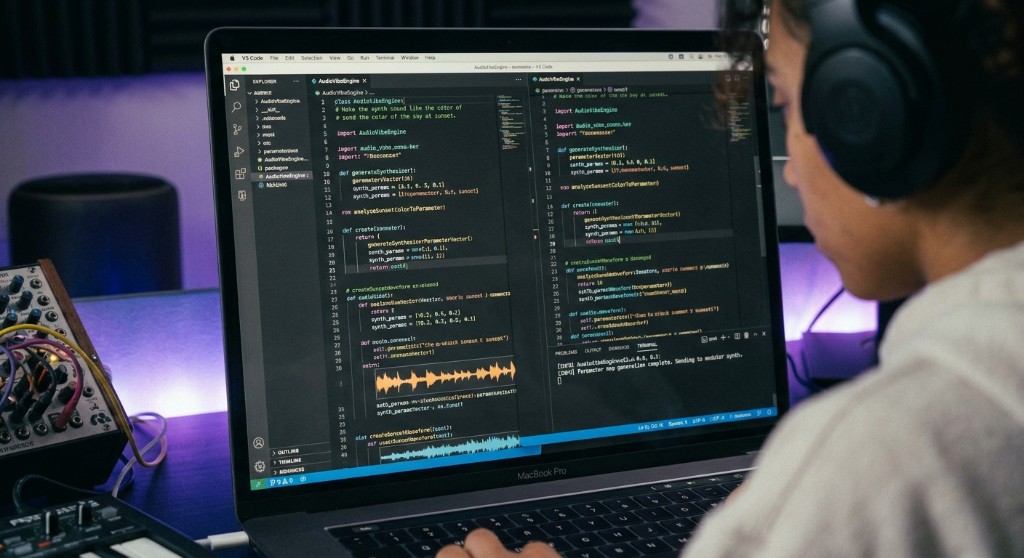
A person in headphones writes audio synthesis code on a laptop, with a synth and controller on the desk.

So this brings me to the currently trending topic of 'vibe coding', a buzzword I have only discovered whilst in the middle of doing exactly that for the last several months. If you don't already know, vibe coding is the practice of prompting AI agents to create software and plugins by those who have some amazing ideas, but lack the full gamut of coding skills.

Here is where I will possibly sound like a total hypocrite, possibly to someone who has been coding audio for years. I totally understand how it must feel to have been a programmer for so long, only to have AI come along and provide unskilled users the ability to create their own plugins, software and firmware, basically overnight (overnight compared to how long it would take to manually code something of value).

However, after embarking on a project myself, it's not that black and white. I have spent several months developing my own VST drum machine and it simply wouldn't have been possible without my 30+ years experience of producing electronic music and being a sound engineer and designer. Well, that's my excuse anyway. It's not like I just jumped in from being a pillow and duvet salesman and decided to create some audio software.

Using AI to code my idea has saved me an unfathomable amount of time and stress. To be able to send prompts to a suitable AI agent, drawing on all my knowledge of general music production, drum programming and more, for it to end up as a very useable virtual instrument has been amazing.

I see vibe coding as a very different thing to getting AI to automatically arrange or fix a mixdown in Ableton Live. It's unbelievable when you read comments from people online, claiming they don't enjoy the mixing or arranging process, and are genuinely glad to use AI for it - where is the fun in that?

So it's a very grey area.
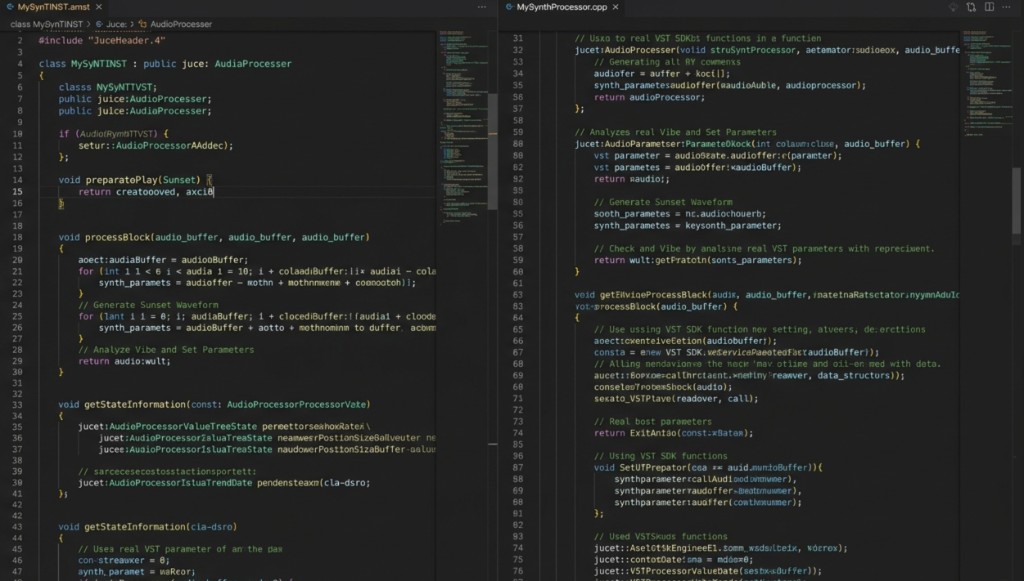
Two code files side by side, a JUCE audio plugin header and its C++ processor.

I plan to go live on my YouTube channel sometime in November 2026 to present the drum machine plugin I have designed and there will undoubtedly be Instagram posts and announcements on this website.

I'm being careful in how I communicate my involvement as I know there'll be comments either asking if it was 'vibe-coded' or potentially outright dismissive comments labelling it as 'AI trash' or 'slop'. I will certainly not be bullshitting anyone and claim to have coded it myself, that would be downright stupid if anything.

A section of the VST drum machine interface, with channel controls and waveforms.
A section of my VST Drum machine to be fully revealed in due course

Designed. Directed. Visualised.

Not coded or programmed.

I may be splitting hairs but it feels a little disingenuous of me to claim I have created it. Directed, had the vision for, prompted, designed, sat for countless hours testing and re-prompting. Had the balls and audacity to share publicly, knowing the potential backlash and resulting damage to my rep. Yeah, sounds a bit dramatic but if you put yourself out there, things can get spicy sometimes! I really hate some of the negative energy you get dragged into online and navigating it diplomatically can be pretty tiring.

Regardless, I believe there's plenty of justification to claim you have created something but not done the bulk of the heavy lifting for. Quantifying the effort required to own that claim is not easy. As said, it's a very grey area.

By using the word designed as opposed to 'created', at least I may be seen at the very least as owning up to what I contributed to it. In my opinion, vibe coded or not, the plugin is very useful, sounds great and solves some common issues producers face when making electronic music, specifically when it comes to breakbeats. All shall be revealed in due course….
TYPE live at Planet Wax

22 October 2026 · 7 min

How I use the MPC Live 3 and Xone DB4 for seamless live drumfunk sets

For my next live Drumfunk set, as usual I'm building the whole performance around the Akai MPC Live 3 and my Allen and Heath Xone DB4 mixer.

The MPC handles the projects, sequences, clips, breaks, bass, atmospheres and rough song structures. The DB4 handles the transitions, achieved via synchronised looping, plus flexible routing which the DB4 excels at.

Switching projects on an MPC during a live set is awkward bit, unless your entire set is programmed into one project which is entirely possible. Prior to the MPCs ability to stream audio from disk, you had to consider the RAM limitations and be very economical with your samples.

Using separate projects of course means a whole new chunk of RAM to play with - but poses another glaringly obvious issue - the MPC needs time to load the next project. So how do I achieve the transition?

The key is simple: use a 'transition machine. I personally use the Xone DB4 to capture loops from the current MPC project, let those loops keep playing, then load the next MPC project in the background.

Once the new project is ready, I bring it in by ear and by hand, using the same DJ skills as I would if using traditional DJ decks or turntables.

The setup is flexible and the DB4 looper is the secret weapon, but it does not remove the skill of human timing. I still have to hit play at the right moment when bringing the next track in after loading the next project. If I'm slightly out, I ride the tempo by nudging the MPC tempo up or down, to get it in phase with the looped audio from the DB4.

This keeps things organic, so I'm not accused of using the 'sync' button and cheat my way through a performance. I don't find any value, challenge or fun in that, as I'm sure my audience doesn't.

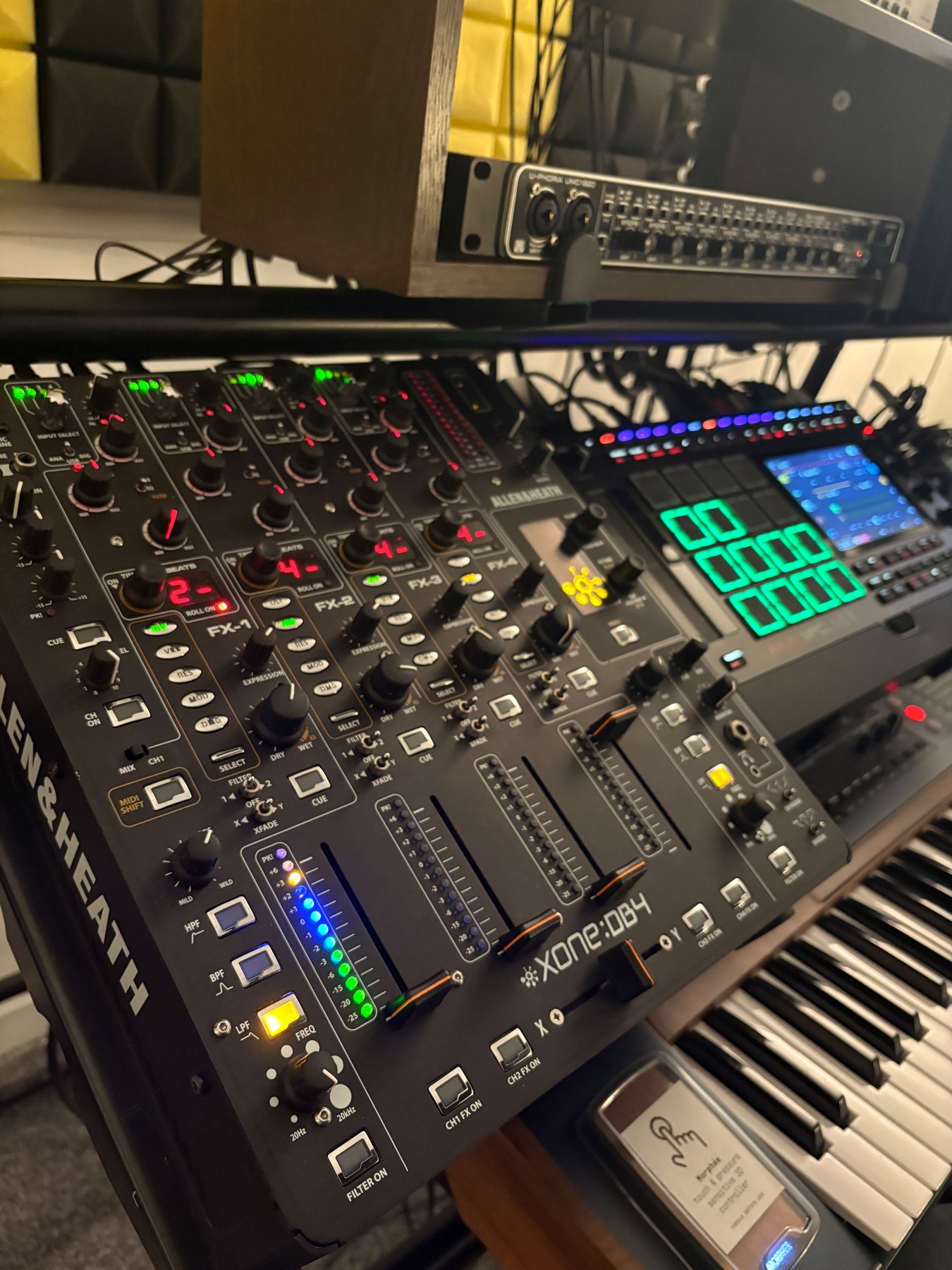
Wide-angle view of an MPC Live 3 beside an Allen and Heath Xone DB4 in a music studio.
The basic live rig is built around the MPC and the DB4 working together.

Why the DB4 is the centre of the transition system

The Allen and Heath Xone DB4 is not just a mixer in this setup. It acts like a live buffer between MPC projects.

Each of its four channels can loop incoming audio. That means I can grab a section of the current MPC output, keep it running on the mixer, then switch to a different project on the MPC without the main audio dropping out. I set the DB4 tempo detection to 85 BPM, half of my MPC projects usual BPM of 170. This allows me to double the length of the loops the DB4 can capture.

On a normal MPC-only setup, moving between full projects can be clunky. Even if loading is quick, it breaks the illusion of a continuous set and you need to have at least one other device to use for transitions, synchronised or not. With club music, there isn't any compromise and the DB4 was absolutely the best option, even though it was released all the way back in 2010.

With the DB4, I can capture:

  • a rolling break section
  • a bass and drums groove
  • a stripped-down percussion loop
  • a musical phrase or texture
  • a transition-friendly section from the main output

Once that loop is captured, the MPC is free to load the next project. The audience still hears a continuous loop, and I can interact with the DB4 effects, faders and crossfader to keep things varied.

Before I found the DB4, I considered using a Boss RC-505 or RC-505MK2 for this job. Both are strong loopers, and for some live electronic setups they make a lot of sense. For this particular use, though, the DB4 suits me better. It sounds excellent, sits naturally in a DJ-style performance layout, and gives me more flexibility with channel routing, filters, EQ, effects and input assignment.

I was lucky to find one a couple of years ago. They are rare now, and they still hold their value for good reason. It is one of those pieces of gear that makes total sense once it sits in the middle of a real live setup.

The live transition is still about timing

The part I enjoy most is that the DB4 does not make the performance automatic. It gives me a safe way to move between projects, but I still have to perform using traditional DJ skills.

The physical correction is important to me. A lot of live electronic rigs can drift into being too safe. Sync buttons can be useful, but I like having to listen and tweak. When the groove is slightly off I pull it back into phase, and it feels alive.

For fast break-based music, that can be the difference between playback and performance. Drumfunk has all those tiny timing details: edits, shuffles, displaced snares, chopped rides, sub movement. If the transition feels too grid-locked, some of the danger disappears.

This setup gives me room to be accurate without being sterile.

How I route the MPC outputs into the DB4

One of the biggest reasons the DB4 works so well here is its input matrix. Each of the four mixer channels can be assigned to any of the four stereo inputs. That makes routing much more open than a basic channel-per-input mixer.

Some of my MPC projects are simple. Everything goes out of the MPC main outputs 1/2. For those projects, the DB4 just receives a stereo feed. I can mirror this by setting the other channels to the same inputs, but use different effects or filter/eq settings to further enhance the performance.

Other projects need more separation. When I want that, I use the MPC’s extra outputs and split the material into stems.

MPC outputTypical materialDB4 input use
1/2Drums, breaks, or full main mixMain MPC feed and loop capture source
3/4BassSeparate control for weight and drops
5/6Mids, melodic parts, atmospheres and effectsExtra movement and live arrangement control
DB4 input 4Transition channelCaptures or receives the looped main feed

The MPC Live 3 gives me enough output options to make this practical. I can either run a simple stereo project or spread the important parts across three stereo pairs, depending on how much control I want for that track.

In practice, I often use DB4 stereo inputs 1, 2 and 3 for the MPC. That leaves input 4 available for transition duties. Input 4 can be assigned to capture the same MPC main output from stereo input 1, so I can grab a loop of the outgoing project while keeping the rest of the mixer ready for the next project.

The input matrix keeps me from being locked into one fixed patching idea. If a project is simple, I can keep it simple. If a particular project has drums, bass and musical elements that need to be separated so the mix isn't crowded, I can treat them more like live stems.

For anyone building an Akai MPC rig for an MPC live set, this approach sits somewhere between DJ mixing and MPC live performance, with the Allen and Heath Xone DB4 acting as the bridge between projects.

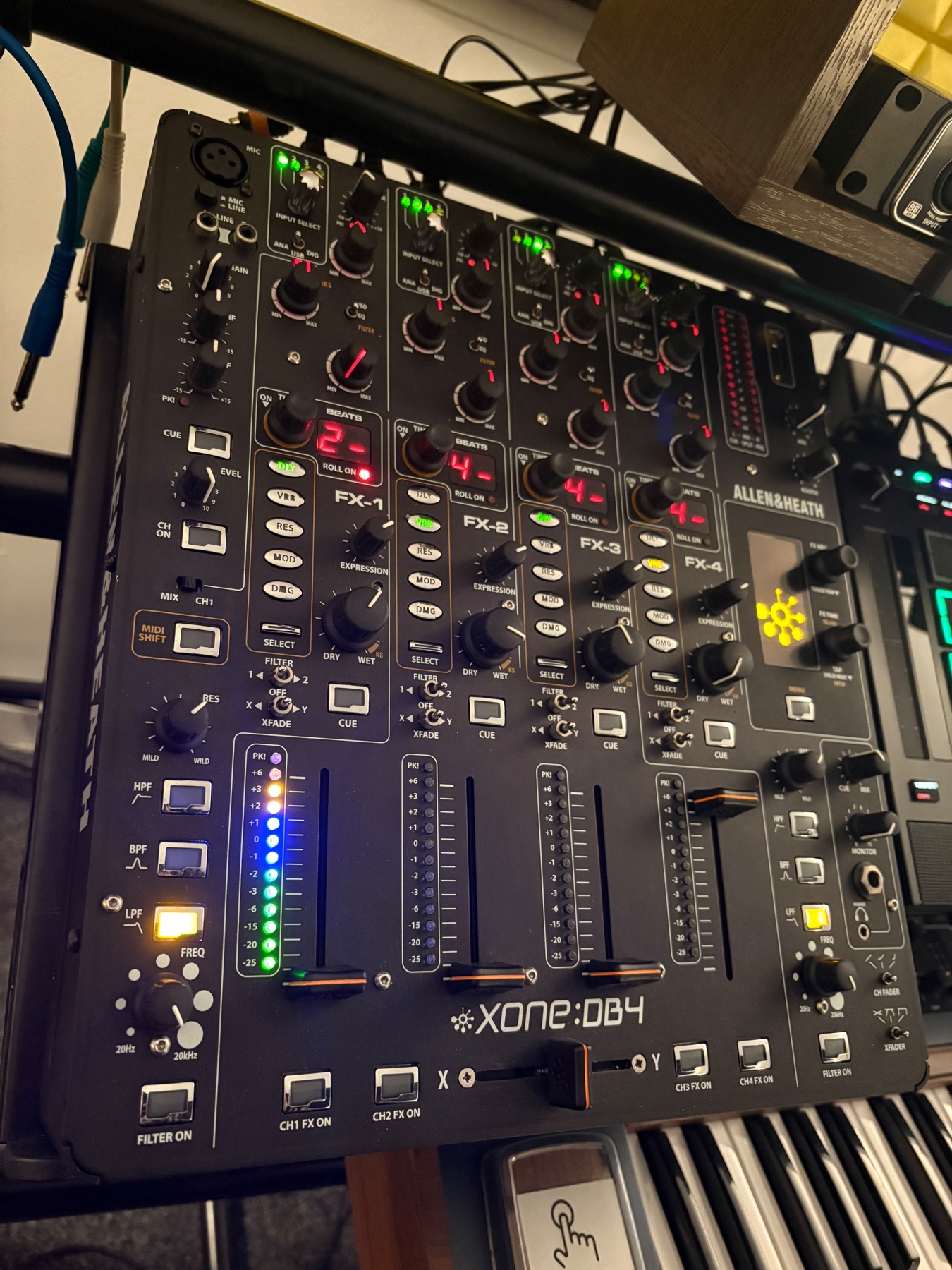
Close-up view of mixer channels and connected audio cables on a Xone DB4.
The DB4 input matrix makes it easy to repurpose channels during a live set.

Using MPC Sounds to keep projects ready

The other part of the system is project organisation. When playing live, I do not want to browse through folders on my MPC SSD drive while a loop is running and the next transition is approaching.

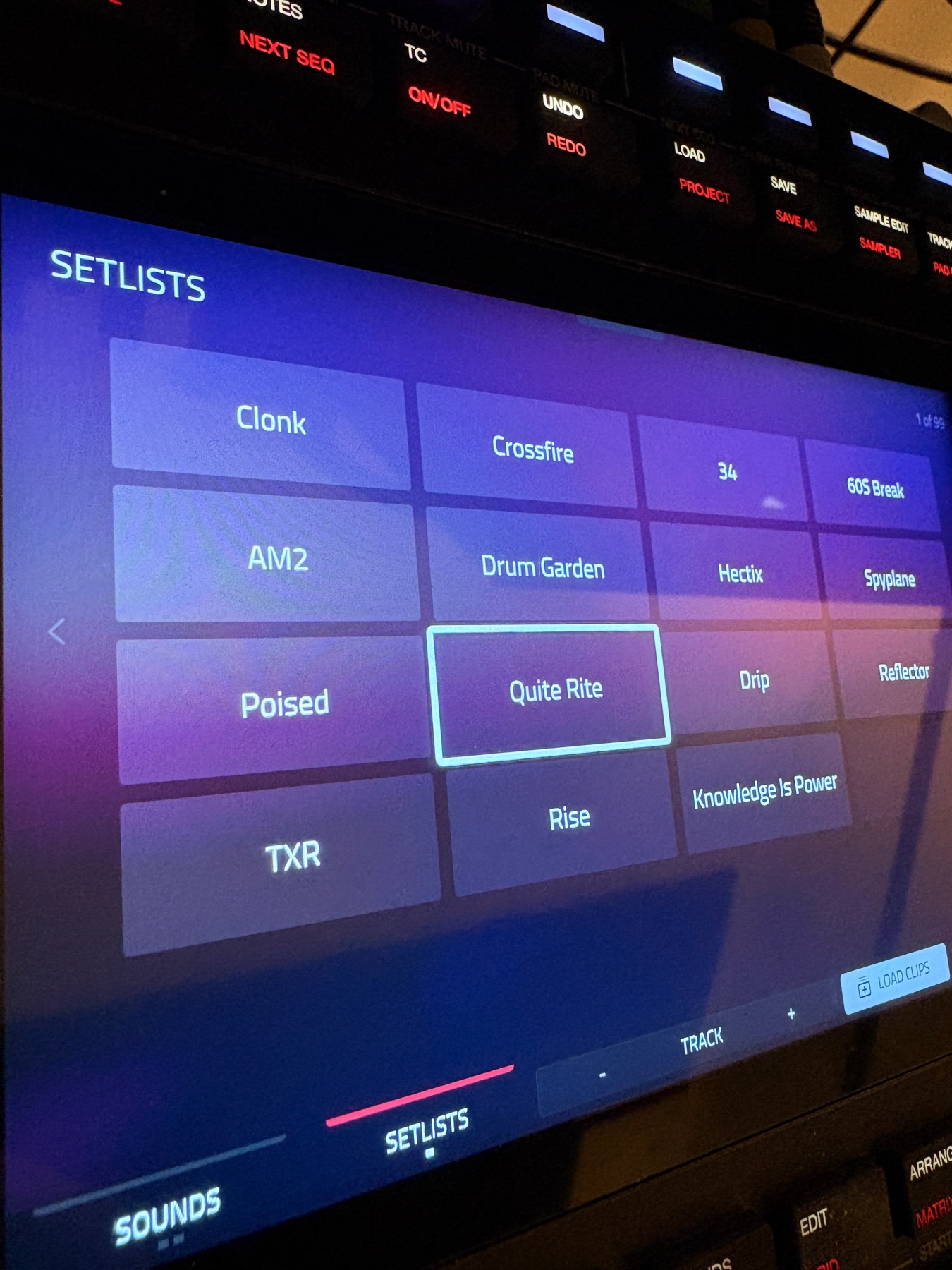
This is where the MPC Sounds feature is useful. I can assign different projects to slots on the on-screen matrix, which makes them much quicker to find and load during a set.

SETLISTS feature allows for the quick navigation to and loading of projects.

Treating unfinished tracks as 'digital dubplates'

A lot of the projects I play live are not finished songs. I think of them as digital dubplates.

They might have a strong break, a bassline, a few edits, a pad, a rough arrangement idea and some effects. They might not be ready to release, but they are more than enough to perform and interact with.

That is one of my favourite things about using the MPC live. I do not need every track to be fully arranged from start to finish. I can build the arrangement in the moment by muting parts, triggering sections, bringing stems in and out, looping on the DB4, and shaping the transition into the next idea.

I have the MPC Pro pack which includes the Clip Matrix, a feature ported over to MPC from the Akai Force for the MPC 3 firmware. In my next blog post I will elaborate more on why I think this is a revolutionary way to both sequence and arrange in the studio and perform live.

Being free from the idea that each project needs to be a finshed 6 minute track allows me to create more material. If every idea had to become a polished song before it could enter the live set, the process would slow down. By treating projects as playable sketches, I can build a larger pool of music and then return to the strongest pieces afterwards to flesh them out.

The live set becomes part of the writing process.

Why this feels better than a fully arranged set

There is nothing wrong with preparing a fixed set. For some shows, that is the right call. But for the way I like to play Drumfunk, I want the set to breathe.

The MPC gives me the source material. The DB4 gives me the space between ideas. Together, they let me move through projects without muting the room or pretending the transitions are not happening.

The main benefits are clear:

  • I can switch MPC projects without silence.
  • I can keep manual timing and phase control.
  • I can separate drums, bass and musical parts when needed.
  • I can use unfinished tracks in a musical way.
  • I can test ideas live and develop them later.
  • I can perform transitions instead of just waiting for loading screens.

The takeaway for MPC live performance

The most useful live setups solve a real problem without removing the need to perform. For me, the problem is moving between MPC projects smoothly. The solution is using the Xone DB4 to loop the outgoing audio while the MPC loads the next idea.

From there, the set still depends on listening, timing and touch. I have to launch the next project in time. I have to ride the tempo if it drifts. I have to choose loops that leave space. I have to decide which elements deserve to stay and which ones need to drop out.

That is the balance I want - enough structure to avoid technical dead ends, but enough risk to keep it exciting.

The MPC holds the dubplates. The DB4 keeps the room moving. The performance happens in the gap between them.